In the past few weeks I’ve been studying React Native to build a Mobile Application for my girlfriend. She needed an application that could interact with the Assistants API provided by ChatGPT in order to make summarizes of school books.
The overall experience has been awesome, I fell in love with this framework.
The simplicity and the fact that it’s cross-platform by default really are an advantage in the long run.
To be honest I never thought, before this moment, I could code a Mobile APP this easily ( Considering I had a minor experience only with Kotlin, which is way more complex and messy ).
However, during the initial phases I had to test various layouts and components to make sure they would work like I intended. As most of the programmers I know, we all get the ideas while we’re doing something else and I had a few occasions where I wanted to test a thing but I couldn’t due to the lack of a well-made IDE for Mobile.
Yeah, you heard right, all the online IDEs for React-Native suck… here’s why:
- They won’t allow you to use built-in Android functions on the sourcecode ( Say bye-bye to “Select All” or “Copy/Paste” ).
- They all have some kind of resizing/scaling issue, even when browsing it with a Windows UA, forcing the page to be loaded like it would on a computer.
So I had to find a solution which in the end was pretty straightforward.
The Life Hack
In the end I found out that the best mobile IDE is called “Snack”, made by the developers of Expo.
It allows you to write the code and execute it on various devices (Including your own) !
Despite being pretty good on computer, I’ve noticed how it has the same issues I’ve pointed previously, so I was scratching my head searching for a solution.
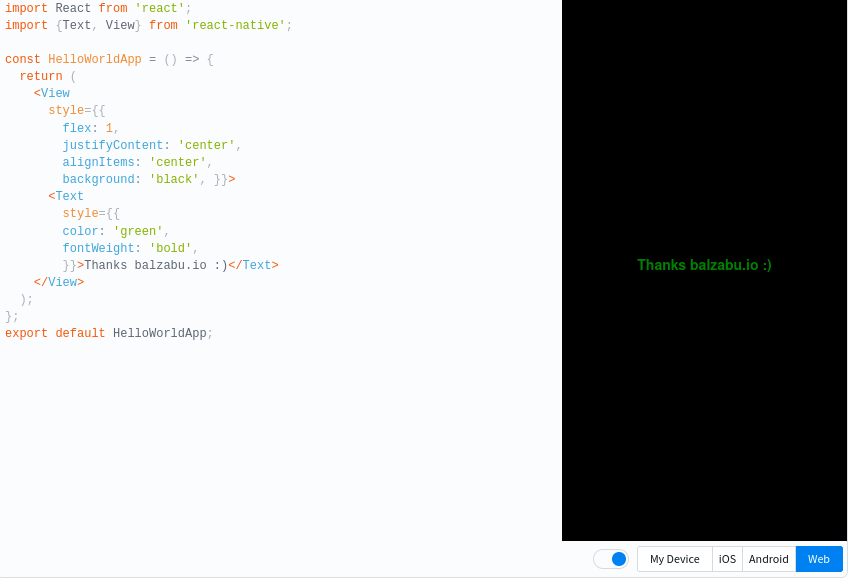
A much thought, I found out that the “Learn the Basics” docs from the reactnative.dev website has a custom built-in “Snack” IDE!
I just fell in love with it, it doesn’t have any of the issues I said before and can even skip the waitlist when you build the code.
So, if you’re looking for a Mobile IDE that just WORKS… just use the one available in the official React Native documentations here: reactnative.dev (Remember to request desktop website, else the website will tell you to install the Expo GO app).
Contacts
For questions or suggestions, contact: [email protected].